
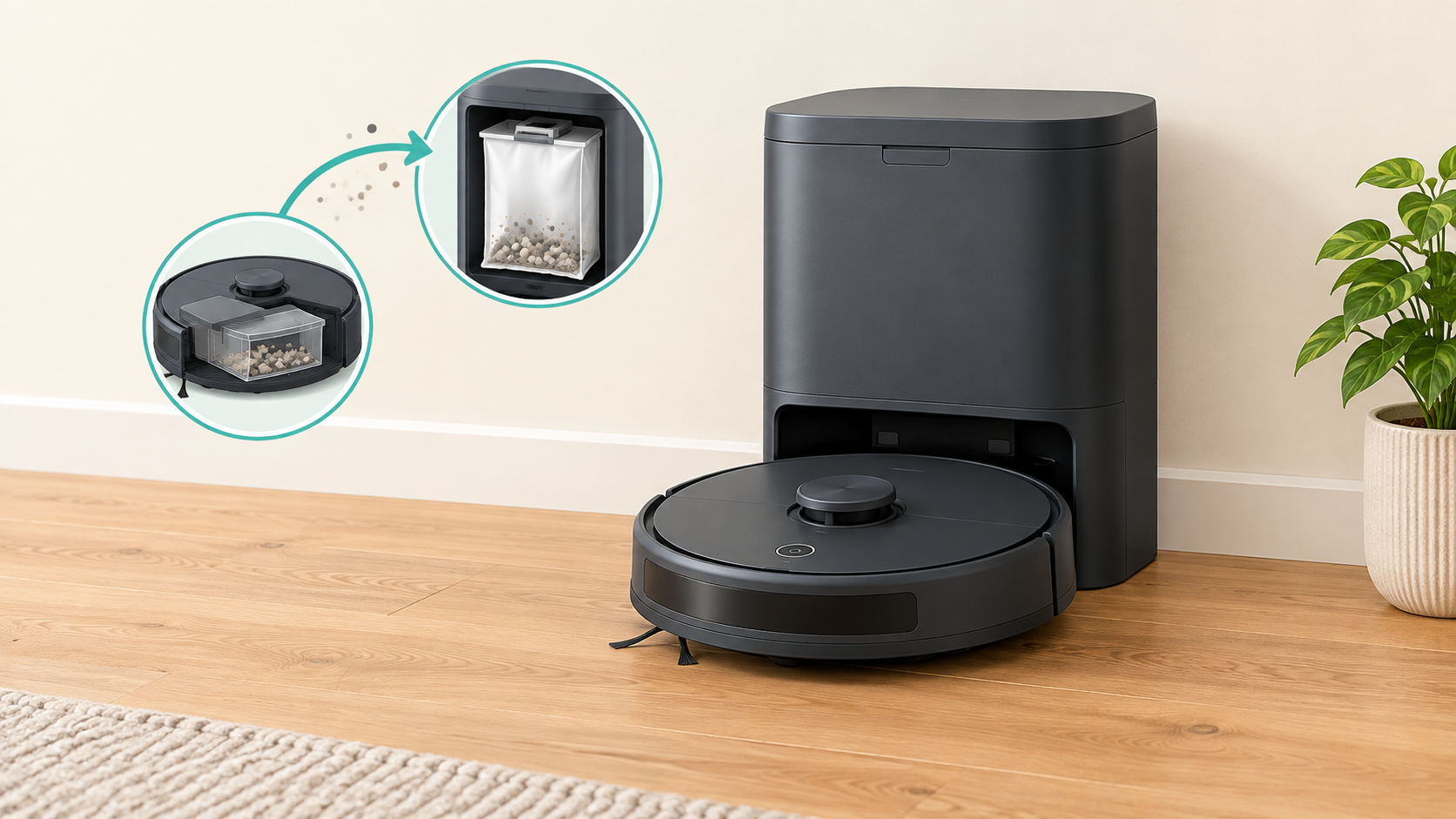
A self-emptying dock is worth considering if emptying the robot’s small bin is a recurring chore for you. It is easier to skip if you are happy emptying the bin yourself, or would rather put your budget and available space elsewhere. It automates dustbin emptying, not every part of robot ownership.
Bot ’n’ Brush has not tested the products mentioned here. This guide draws on manufacturer product and support pages, plus independent reviews from Which? and TechRadar. Where a point comes from one product or one reviewer, we say so rather than treating it as true of every dock.
What a self-emptying dock actually does
A robot vacuum collects dust and debris in a small bin on the robot itself. A self-emptying dock transfers dry debris from the robot’s bin into a bag or container in the dock, reducing how often you need to empty the robot’s bin by hand.
iRobot’s UK page for the Roomba 105 Combo Robot + AutoEmpty Dock describes a bagged arrangement: the robot empties into the dock, and when the bag is full you throw it away and fit a new one. The same robot name is also listed separately with a basic charge-only dock. The dock is part of the package you choose, not a given.
| Dock type | What it does | Worth knowing |
|---|---|---|
| Charging dock | Charges the robot. You empty the robot’s bin yourself. | The simplest setup. Check what is in the box, because a product name can be sold with more than one dock type. |
| Self-emptying dock | Charges the robot and moves dry debris from its bin into a bag or container in the dock. | The bag or container still needs looking after. |
| Multifunction dock | Does the above and adds other automation. | Features vary by product. |
On multifunction docks, TechRadar lists the base of the Dyson Spot+Scrub Ai as handling charging, emptying, mop washing and drying, clean-water refilling and self-cleaning. Those wet-side tasks are separate from emptying dry debris, and they bring their own upkeep. This guide covers only the dry-debris side. If you do not need mop automation, you may not need to pay for it.
A self-emptying dock automates dustbin emptying. Its presence alone does not establish better debris pickup or navigation. Judge cleaning performance and mapping on their own merits, not by whether a dock is attached.
What convenience it adds, and what remains
Which? calls self-emptying and self-cleaning docks “genuinely useful” because you do not have to empty the robot’s dustbin constantly. Its comment covers both kinds of dock together, so it is not a verdict on emptying alone.
How much that matters depends on you. If you currently empty the robot frequently because it collects a lot of hair or debris, automated emptying may be more valuable to you. If you run the robot only occasionally and emptying the bin takes seconds, the saving may feel small.
The dock moves the job rather than abolishing it. The collection system still needs attention:
- Bagged docks: you replace the bag when it is full. iRobot’s UK bag listing is specific about which robots and docks its bags suit.
- Bagless docks: you empty the dock’s container yourself. In TechRadar’s review of the Dyson Spot+Scrub Ai, the reviewer notes there are no replacement bags to buy, but the dock’s bin still has to be emptied.
The robot itself still needs routine care. iRobot’s product information for the Roomba 105 Combo lists the bin, charging contacts, brushes and filter among the parts to look after, and the model’s own instructions are the place to check how and when. Brush care applies whether or not there is a dock: TechRadar’s reviewer reported hair wrapping around the Dyson’s roller brush. For faults and fixes, see our robot vacuum troubleshooting guide.
The trade-offs
Purchase and consumable costs
Compare the exact robot-and-dock package, not just the robot. A dock can be built into the package, listed as a separate variant, or sold as an add-on. Compatibility is not automatic: iRobot’s UK support information indicates that, for some robots, an owner adding an AutoEmpty dock separately may need a bin designed to work with it. Confirm compatibility for your exact model before buying, and do not assume an existing robot can be upgraded.
For bagged docks, replacement bags are a recurring purchase. They are sold for specific robot and dock combinations, and iRobot recommends its own genuine parts. We have not put a running cost on this because how quickly a bag fills depends on the product and on how much debris your home produces. Treat advertised “up to” claims about days between emptying as manufacturer claims, not a guaranteed interval for your home.
Bagless does not mean free of ongoing costs. It removes bag purchases, but check which other parts the manufacturer lists as replaceable and what they cost.
Space and access
Which? notes that docks can be large and heavy. Sizes differ from product to product, so check the manufacturer’s stated dimensions and any placement clearances in the manual for the exact dock. Also check how you will reach the bag or container. A dock tucked into a tight corner may be awkward to service even if it fits.
Noise
TechRadar’s reviewer described the Dyson Spot+Scrub Ai’s self-emptying as especially loud. That is one reviewer’s observation of one model, not a comparison of emptying noise across all docks. If noise matters to you, look for independent comments on the exact model you are considering, and think about where the dock will sit relative to rooms where people sleep or work.
Bagged versus bagless
| Consideration | Bagged | Bagless |
|---|---|---|
| What you do | Replace the bag when it is full | Empty the dock’s container yourself |
| Recurring purchase | Replacement bags | No bags, but check other parts |
| Check before buying | Compatible bags, availability and price | How the container is emptied and accessed |
Neither approach is automatically better. We have not assessed dust containment or health effects, so this guide makes no claims about them.
Who should consider one, and who can skip it
These are decision aids based on the documented features and our editorial judgement. They are not test results.
| Your situation | It may be worth considering if… | You can reasonably skip it if… |
|---|---|---|
| You empty the robot’s bin often | Frequent emptying bothers you, whatever the reason | The bin takes seconds and does not bother you |
| You have pets | You find yourself emptying the bin often because of hair or debris | Your robot’s bin does not need emptying often |
| You run the robot frequently | Having the task automated saves you regular effort | You run it occasionally |
| Your home is small or space is limited | You have a suitable spot and enough access around the dock | The dock would dominate your floor space or be hard to reach |
| Your budget is tight | The package price and any consumables still fit comfortably | You would rather put the money into the robot itself; see our best robot vacuums under £500 |
| You are noise-sensitive | Independent coverage of your exact model suggests the noise is tolerable | Emptying noise would bother you or others in the home |
| Bending or emptying by hand is a chore | Automating the robot’s bin would help, and you can still service the dock | Reaching the dock’s bag or container would be just as awkward |
If pet hair is the main issue, our guide to the best robot vacuums for pet hair covers that side, and the dock question comes second. Pets alone do not settle it; what matters is how often you find yourself emptying the bin.
Checklist before you buy
- Exact robot and dock variant: the same robot name may be sold with a basic dock or a self-emptying dock.
- What is included: confirm whether the dock is in the box.
- Compatibility if bought separately: check the exact robot model, and do not assume an existing robot can be upgraded.
- Dock dimensions and clearances: use the manufacturer’s stated figures for your exact dock.
- Access: can you reach the bag or container without moving furniture?
- Consumables: compatible bags or other parts, availability and price.
- Remaining maintenance: bin, brushes, charging contacts and filters, according to the model’s instructions.
- Mop automation: decide whether you need wet-side features, which are separate from emptying.
A practical test
Already own a robot? Notice how often you empty its bin over a couple of weeks and whether that task bothers you. If you are buying your first robot, focus instead on whether you would be happy emptying it by hand, whether the dock fits, and whether the package and consumables suit your budget.
8 thoughts on “Are Self-Emptying Robot Vacuums Worth It? A UK Buyer’s Guide”
Comments are closed.